The Witcher 3 Remastered downloads mods through the in-game Mods menu on Xbox Series X|S and on Windows when you install the game through the Xbox app. Sign in with your CD PROJEKT RED account, link it to mod.io, subscribe to a mod, then restart. Xbox One, One S, and One X do not have official mod support.
Browse Xbox Series X|S mods · Browse Windows mods · Download the Xbox app for PC
Compatibility · Console installation · PC installation · Mod downloads · Nexus and manual files · Saves and achievements · Troubleshooting
Which Xbox and PC editions support mods?
- Xbox Series X|S: install and update Remastered on your console. Its in-game catalog lists the mods available for Xbox.
- Xbox One, One S, or One X: the previous-generation version lacks the official Mods menu. The Xbox One X Enhanced label describes enhancements to that edition.
- Xbox app on Windows: install the native Windows version. The app can also list games from other stores or launch cloud sessions. Check the entry in your library and how you launch it.
Microsoft’s game listing includes Xbox Play Anywhere. Sign in with the Microsoft account that owns an eligible digital license and check your library. A physical disc alone does not grant a Windows license. Steam and GOG purchases stay with those stores. If the Xbox app offers Buy instead of Install, check your account and edition before paying. See Microsoft’s Xbox Play Anywhere FAQ.
How to install mods on Xbox Series X|S
- In My games & apps → Manage → Updates, install the available Witcher 3 patch. Make a clean manual save before enabling mods.
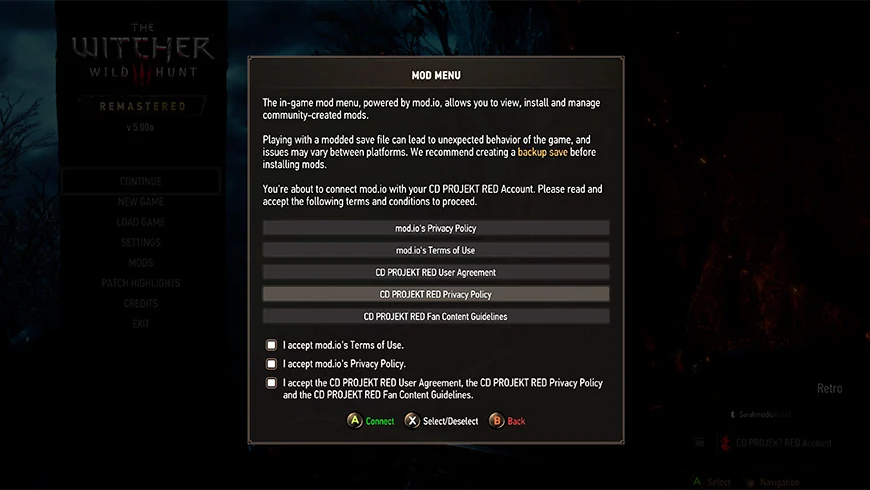
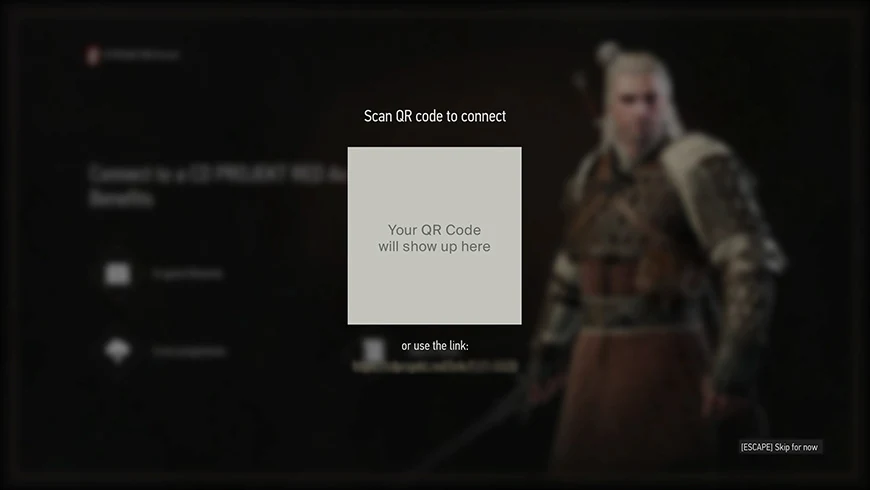
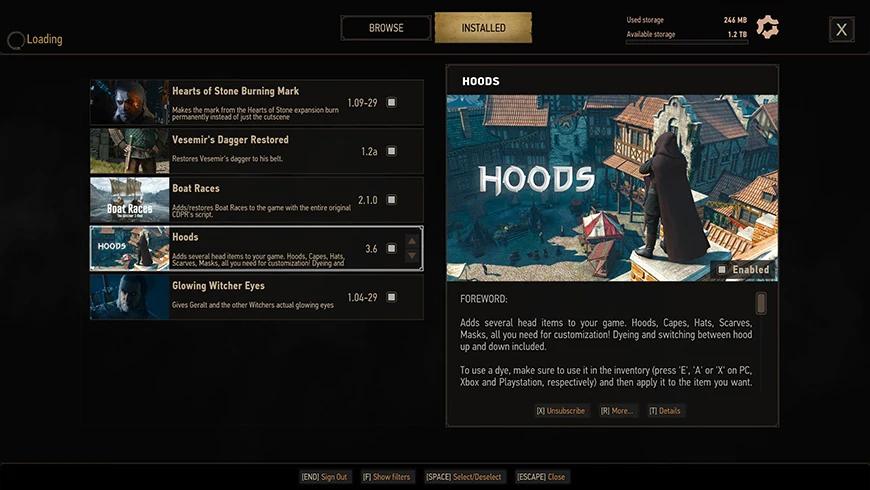
- Select Mods in the main menu, sign in with your CD PROJEKT RED account, and follow the link or code in the game to connect it to mod.io.
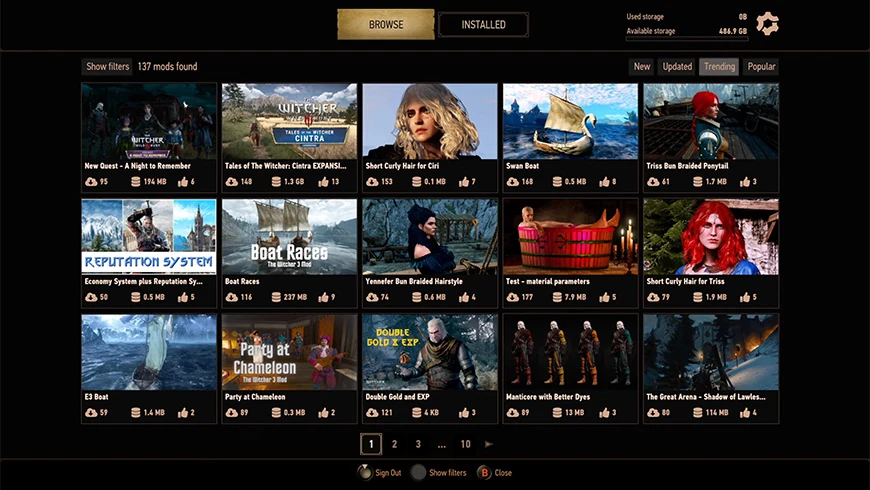
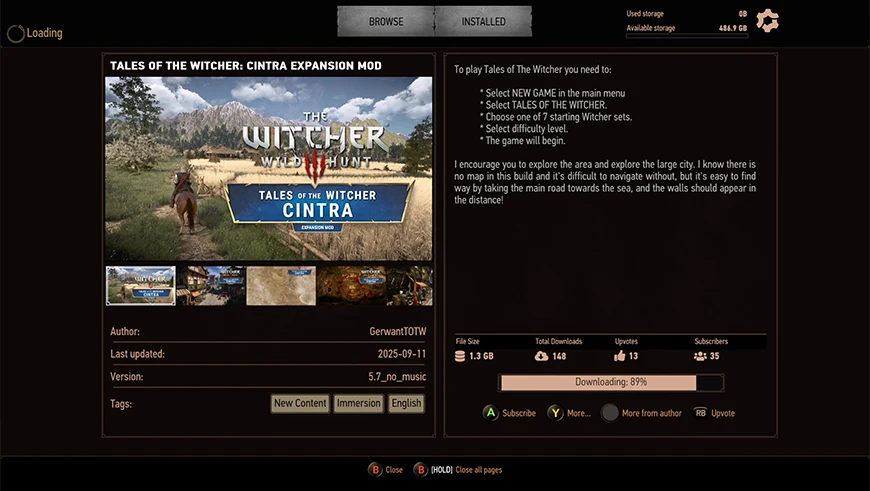
- Search by the mod’s exact name, read its requirements, and select Subscribe. Wait for the download to finish.
- Close the game completely. Press the Xbox button, highlight the game, open its menu, then choose Quit. Launch the game again.
- Open Mods → Installed and check the box for the mod if it’s empty. Load your test save and check for the change described on the mod page.
Install from the console’s menu. The web listings give you the names, requirements, and changes. The Xbox console flow does not use Nexus ZIPs, USB drives, or PC installers. CD PROJEKT RED’s Xbox mod instructions.
How to install mods with the Xbox app on PC

- Download or update the Xbox app for Windows. Sign in to the Xbox app and Microsoft Store with the account that owns the game.
- Find The Witcher 3: Wild Hunt — Remastered in your library and select Install. Launch the copy installed on your computer. CD PROJEKT RED lists Xbox Play Anywhere among the PC editions in its patch notes.
- Open Mods and sign in with your CD PROJEKT RED account to link mod.io. Use the same CD PROJEKT RED account you linked on console to see compatible subscriptions.
- Find the mod, choose Subscribe, let it download, then close and relaunch the game. Check that the mod is enabled under Mods → Installed.
Play with Cloud Gaming starts a remote session. Install and launch the game locally if you want Windows-exclusive mods or access to local files.
Where to download Witcher 3 mods for Xbox and Windows
Open the Xbox Series X|S mod catalog or the Windows catalog. These five examples appeared in both catalogs when this guide was checked. Open each listing to check its requirements. On console, search for these same names in the game to install them.
Hoods

Adds hoods, cloaks, and masks. Visit Bram near the bridge in White Orchard to buy an item. Equip hoods in the mask slot.
Fast Travel Pack

Adds 49 fast-travel signposts. After enabling it, check the map for the new locations described on the mod page.
No Weight Limit

Removes the inventory weight limit. Check your inventory after restarting. Watch how much you are carrying if you disable it later.
More Money For Traders

Gives merchants 5,000 crowns and refills their funds. Check the balance on a merchant’s trade screen.
New Hairstyles and Beards For Geralt

Adds 19 hairstyles and 12 beards according to its listing. Visit a barber and follow the author’s instructions.
Nexus Mods and manual installation on Xbox PC

The official REDkit documentation describes manual installation on PC. Compatibility with the Microsoft build varies by mod and depends on whether your installation exposes its files. The in-game mod.io method is the documented route for this edition. I could not verify a specific manually installed mod on a local Xbox PC copy.
- On The Witcher 3 Nexus Mods, open Files and check the game version, dependencies, and author notes. Friendly HUD for Remastered illustrates why the file version matters. A file marked 5.01 does not by itself confirm Microsoft Store compatibility.
- With the game closed, look for Manage → Files → Browse in the Xbox app, if your installation offers it. Look for the game root with folders such as
binandcontent. The drive can vary. Use mod.io if the app does not expose the files. - Follow the author’s directory structure. A package with one
modNamefolder usually goes in<game root>modsmodName. Use additional folders such asdlconly if the author instructs you to. Keep a record of new files and test one mod at a time.
Saves, Xbox achievements, offline play, and cross-progression
- Console achievements: CD PROJEKT RED disables achievements on modded console saves. A cog icon marks these saves. Keep a clean manual save from before you enabled mods and return to it with mods disabled if you want to earn achievements. The documentation specifies this rule for consoles.
- Offline: you can load a modded save offline when the mods it needs are already installed. An internet connection is required to install new or missing mods.
- PC to console: Xbox Play Anywhere syncs progress for eligible titles. Mod.io subscriptions follow the CD PROJEKT RED account. Enable the same mods on both devices before loading. A save that relies on a Windows-only mod may fail to load correctly on console.
How to fix missing mods, stalled downloads, or saves that fail to load

- No Mods menu: verify the console generation and game version. On Windows, check whether you launched the installed copy and whether an update is pending.
- A mod is missing on Series X|S: check the Xbox filter, search its exact name in the game, and review dependencies. The Windows catalog includes mods the console catalog may omit.
- Subscribed but inactive: check storage, connection, and the linked account. Let the download finish, quit the game, then check the Installed box after restarting.
- Crashes or a save fails to load: disable the last mod and restart. Re-enable it if the save depends on it, or load your clean save. After a game update, check mod compatibility before restoring older components.
- To remove a mod: clear its checkbox to disable it. Unsubscribe on the mod’s page to remove it from your subscriptions. Restart and check the result.
For other platforms, see the guides for PS5 and Nintendo Switch 2.